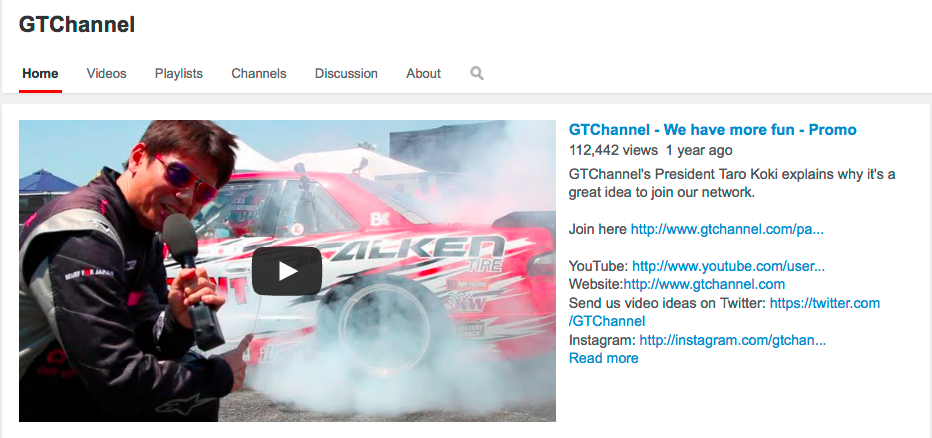
When we all changed over to the new YouTube channel design in 2013, YouTube gave us an option to make one of your videos a 'subscribe' Channel Trailer.
Viewers that come to your channel are automatically met with a trailer if they are not subscribers to the channel.
In the trailer, a channel can show what they are to expect and also why that viewer should subscribe now. We can't emphasize enough on how important building an audience by increasing your subscribers is.
Here are the main things to keep in mind.
1. Explain what your channel is all about. (what kind of videos and shows there are)
2. Look into the camera and ask viewers to "Subscribe to my channel"
3. Use clear and easy annotation buttons to seal the deal.
This is how you set up your Channel Trailer.
Hover over the section with your channel name and click on the pencil that appears on the right hand side
Click edit channel navigation
Enable the Browse view and then click Save
If you don't like your Channel Trailer or come up with a new one, you can always replace it.
If you haven't done it yet, your next video should be a channel 'Subscribe' trailer.
Here are some awesome textbook sub trailers! They may have stumbled onto your channel by accident but that trailer can kill or close the deal. Go do it now!
Reel SEO put together of list of mind boggling YouTube facts like 6 billion hours of video is watched on YouTube every month and 100 hours of video is uploaded every minute.
It's hard not to realize that humans sure have a lot of time on our hands!
We've been sending you guys tips on how to improve your videos and we're really seeing some great results with partners that have followed those steps. Some partner channels like Steve's POV are literally blowing up as we speak. You may have seen this crazy LED Lambo video but now it has 1.5 million views!
On the other hand, we still have guys uploading videos with file names like video1car.mov as titles..
Things like this make us cringe because some of the videos are pretty good and could do way better by optimizing the meta data (titles, description, tags). If you're gonna do it, let's do it right guys!
So we're going to break it down to 3 simples ways today!
1. Follow Best Practices. The minimum you must do to get on the search radar is your meta data. Title, description and tags! We can't tell you enough that without these three things, your video will go unnoticed and lost in internet wasteland.
Check out the awesome title that has all the right keywords people would search for. See the description with detailed text on the video with keywords and of course links to the official website and key social media channels. DailyDrivenExotics gets an A plus here!
2. Human Connection: All successful YouTube channels have that human connection. Real people speaking directly into the camera is the best way to connect with an audience. All of the YouTube masters like PewDiePie, Nigahiga and ijustine have become HUGE stars in this way.
SuperspeedersRob in our network with 228K subscribers is no different. He's the main guy on his channel and he speaks directly to the audience. Go check out how he's doing it right.
So does this guy. "No Muff too Tuff"! He's no pro but he's talking to the audience. Ok, so he looks like he's reading from a cue card but hey we give him props for going out there and just doing it!
3. Be Consistent: Find what you are good at and stick with it. 356Daly sticks with supercar videos. He just reached 1000 subscribers and is growing quickly because he's starting to find his niche. The audience knows they can come to his channel to see exotic cars. So don't try to be everything, stick to what you are good at and make lots of videos. Many people don't realize that the number of videos you release on a consistent basis is extremely important to building an audience. Keep the flow going so your audience keep coming back for more. Make more videos!
So you got that?
Follow Best Practices
Human Connection
Be Consistent
Do this and we guarantee your videos will become better!
Oh and don't even bother sending your videos to newvideo@gtchannel.com for promotion if you don't have the above 1. done. Com'on you gotta do some of the work yourself!
Evan Jones our YouTube Certified and Social Media ninja has given us top 10 YouTube Tips to boost your channel growth. Many channels have followed these basic tips and grown substantially. Make sure all of these things are done!
1. Video Titles: Use attention-grabbing, descriptive, and relevant keywords towards for the beginning of your titles and display branding and episode numbers towards the end. Keep titles concise so they fit on one line. Represent videos accurately without using misleading information. Thumbnails should reinforce the title but not necessarily duplicate. See how we have used attention grabbing copy, "1000+ Horse Power Drift Machine..."? Who doesn't like high power drift cars? The series title "Controlled Chaos" and episode number follow to make sure these videos show up as relevant videos in the series. 2. Thumbnails: Clear, in-focus, high-res images (640px by 360px minimum) that stand out at any size. Text should be legible at any size too. Thumbnails should never be misleading and instead, accurately represent content. Should be high-contrast, visually compelling imagery. Thumbnail support page on YouTube. 3. Descriptions: Explain your video in 1-3 concise sentences at the top of the description section. Use relevant keywords to help in discovery. Add experience-enhancing links like subscribe, similar videos, playlists, social media links, website, etc. below the video description. Titles and descriptions should be able to be understood by anyone, not just those who are subscribed to your channel or have previous knowledge of the content in the video. 4. Annotations and End Slates: Annotations are clickable text overlays that can be used to boost engagement, give more information, and help with navigation within a video. End slates are title cards at the end of a video that ask the viewer to subscribe and promote more videos with the use of annotations. Annotation support page on YouTube.
5. Playlists: These can be used to group a set of videos that you want viewers to enjoy in order. They can be grouped around a theme or event, can separate different shows, or can combine most-viewed pieces with new uploads. Great for helping viewers watch multiple videos on your channel. More on Playlists.
6. Social Media: Facebook, Google+, Twitter, Instagram, etc. are awesome tools to build your brand, give your channel exposure, and interact with fans. Promote every video you release, and go about this in a variety of ways - use links, photos, direct uploads to social media platforms, or simply text. Be a consistent, authentic and authoritative leader. Share videos on social media.
7. Consistent Themes and Characters: Having consistent themes and characters in your videos will bring viewers back to your channel time and time again. They will learn what to expect from your videos, driving watch time. You can even be that character yourself!
8. Program Schedule: If possible, make a set release schedule for your uploads and communicate that schedule to your audience.
9. Image Quality: It's important to maintain a professional level of work when it comes to cinematography. Try to avoid camera movements that are overly shaky, make sure to include a wide variety of shots, shoot images that are crisp and clear, and upload to YouTube in HD if possible.
10. Editing Quality: Editing can affect the mood, pacing, and storyline of your videos, amongst other things. Make sure your edits are tight, are not monotonous or predictable, and create a coherent piece. Text and graphics can also play a major part in your work by providing appropriate titles, pushing the story along, and giving your piece a certain feel. Audio levels should not peak and be somewhat equal throughout the video, with fades between audio cuts.
There is more you can do but we feel these 10 steps are minimal adjustments you can make on your own that will help you not only immediately but in the long run to get more video views and subscribers to help you grow your channel.
Having problems coming up with video ideas, titles or show concepts?
The best place to look is what people are already looking at.
Use social media trends to find out what's trending out there and get on the band wagon. It's a little cheating but hey who's cares! You gotta go where the people are at. If people are searching for "Le Mans" that weekend, why not come out with your own "Le Mans" theme video. Or if Microsoft's former CEO Steve Ballmer just announced to buy the Clippers, get creative and make a video about how much it would suck to have to buy Clipper tickets using a Microsoft app. You know what I mean.
Where do you find the trends? That is the easy part.
Google: http://www.google.com/trends/
For Twitter and Facebook they are right on your home screen.
You can custom curate most of these lists to your likings so irrelevant keywords are filtered.
If people are looking for it, and if you have a video on it, the chances of your video being discovered increases.


.png)


